
iOS 26.1 developer beta 4 is now available.
The fourth developer beta of iOS 26.1 is here, and with it comes an added customization option for Liquid Glass, and a way to prevent accidentally opening the Camera. Here’s what’s new.
On October 20, a week after the release of the third developer beta, Apple rolled out iOS 26.1 developer beta 4. The software update increases the build number to 23B5073a, up from the previous 23B5064e.
iOS 26 and iPadOS 26 both introduced a variety of enhancements, including screening capabilities for the Phone and Messages apps. The updates also marked the debut of Apple’s Games application.
Even so, iOS 26 is primarily known for its controversial “Liquid Glass” design language, used across all of Apple’s software platforms. The preceding flat aesthetic, used from iOS 7 through iOS 18, has effectively been replaced by a new glass-like material.
The fourth developer beta of iOS 26.1 now gives users some control over the Liquid Glass material through an all-new toggle.
Liquid Glass gets a transparency toggle
When navigating to Settings > Display & Brightness on iPhone and iPad, users will see a new setting labeled “Liquid Glass.” On the Mac, it’s located in the Appearance menu, within the System Settings app.
While it’s now possible to personalize the look of Liquid Glass, there are strict limits to what users can do. Instead of an opacity slider or a series of appearance-related switches, the Liquid Glass customization toggle effectively presents users with a simple choice.
Apple only offers the following preset options: Clear and Tinted.
“Choose your preferred look for Liquid Glass. Clear is more transparent, revealing the content beneath. Tinted increases opacity and adds more contrast,” says the description beneath the new toggle.
The Clear look is the default appearance of Liquid Glass, while the Tinted option makes user interface elements more opaque. The effects of this toggle are visible throughout the operating system, in areas like the Control Center, Notification Center, Dock, and more.
It’s ultimately not much of a surprise that Apple added a toggle of this nature with Monday’s developer betas.
Throughout the iOS 26.0 developer beta cycle, the iPhone maker periodically made tweaks to the Liquid Glass material. Sometimes the new material was made more transparent, while other times Apple tested a darker, opaque look for Liquid Glass.
Still, the Liquid Glass transparency setting is not the only toggle that was introduced with iOS 26.1 beta 4.
Camera Swipe toggle
With the fourth developer beta of iOS 26.1, Apple made it possible to disable the Lock Screen swipe gesture that launches the Camera app.
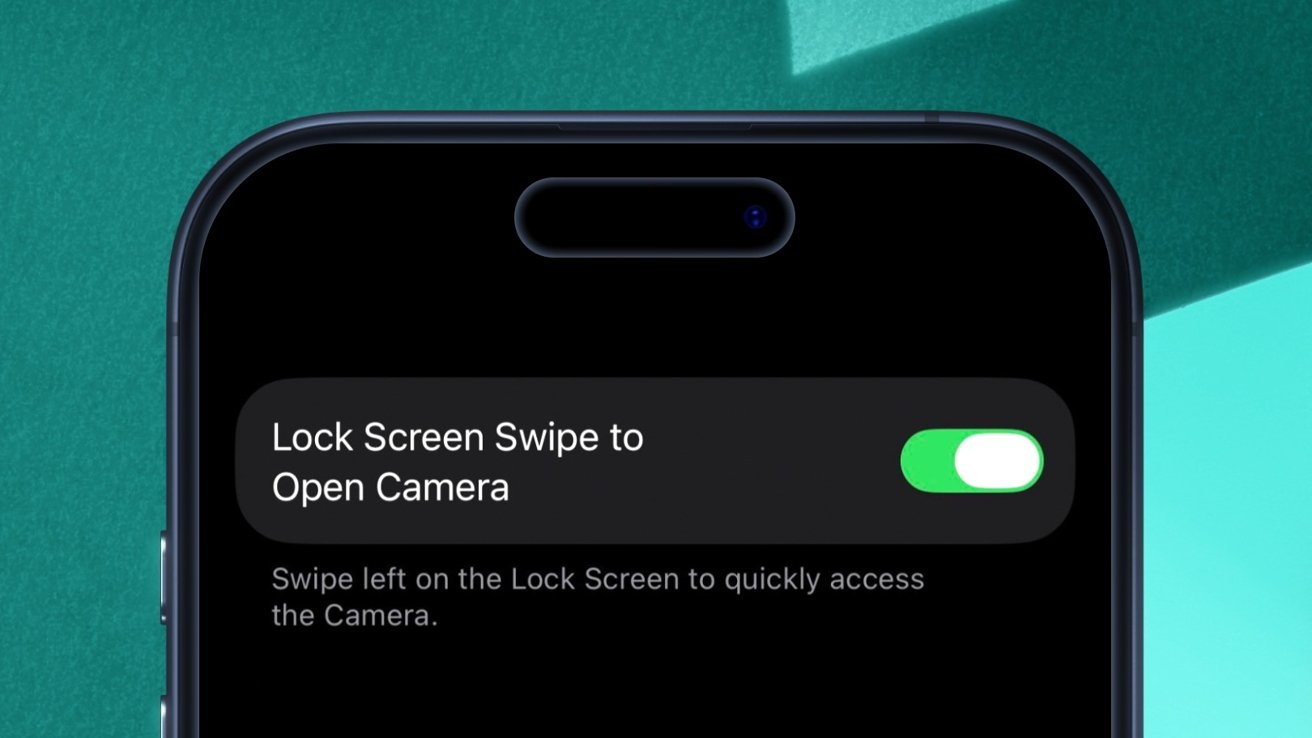
iOS 26.1 beta 4 has a new toggle for the Camera Swipe gesture.
The new toggle, aptly labeled “Lock Screen Swipe to Open Camera,” can be found by navigating to Settings > Camera.
When turned off, users can no longer open the Camera app by swiping to the left from the iOS and iPadOS Lock Screen.
The swipe gesture is one of several ways users can open the Camera from the Lock Screen. By default, the button at the bottom right of the screen launches the Camera.
The application can also be opened from the Control Center or via the Camera Control on an iPhone 16 or newer. The Action button can be used to launch the Camera app on an iPhone 15 Pro or newer.
However, these alternative methods of opening the Camera app could all be disabled by the user, which was not true for the swipe gesture until now.
While there do not seem to be any additional user-oriented changes in Monday’s iOS 26.1 developer beta, the software does reference an updated hardware accessory. The Apple Vision Pro Developer Strap could receive an upgrade in the near future, as was previously spotted.
The Developer Strap for the Apple Vision Pro was a $300 accessory that let users connect their headset to a Mac with a USB-C cable. It looks as though Apple is preparing to ship a new version of the accessory. The Apple website says the Developer Strap is “Available to order on 10/22.”
Overall, the fourth developer beta of iOS 26.1 delivers two new toggles, but not much else. Apple deploys new developer betas of iOS nearly every two weeks, meaning that we’ll likely see additional features and changes with subsequent software releases.
Trending Products

Apple iPhone 12 Mini – Parent...
Apple iPhone SE 2nd Gen – Par...

Apple iPhone 7 32GB Unlocked AT&...
Apple iPhone 14 – Parent (Ren...
Apple iPhone 12 Pro Max, PARENT (Re...
Apple iPhone 8 64GB Unlocked –...
Apple iPhone 15 Plus 5G (512GB, 6GB...
Apple iPhone 14 Pro (Renewed)

Apple iPhone 15 Pro Max – Par...
